Blog Post
Setup Autentikasi Dua Faktor dengan WebAuthn pada Aplikasi Web
Panduan production-grade untuk menambahkan 2FA berbasis WebAuthn ke aplikasi web dengan perhatian pada enrollment flow, recovery, dan failure mode perangkat pengguna.
TL;DR
- WebAuthn sebaiknya dipasang sebagai bagian dari lifecycle identitas: enroll, verify, rotate, revoke, recover.
- Kualitas implementasi ditentukan oleh origin validation, credential storage, dan recovery policy, bukan hanya challenge-response.
- Untuk production, paksa HTTPS, dokumentasikan RP ID, dan minta user mendaftarkan lebih dari satu authenticator.
Pendahuluan
Menambahkan 2FA ke aplikasi web sering diperlakukan sebagai checklist compliance. Hasilnya sering dangkal: satu endpoint register, satu endpoint verify, lalu tim menganggap masalah selesai. Pada praktik produksi, titik gagal justru muncul di luar happy path, misalnya saat origin salah, device hilang, atau recovery flow menjadi bypass terhadap faktor kedua.
Tutorial ini membangun implementasi WebAuthn 2FA yang cukup realistis untuk aplikasi web berbasis Node.js. Fokusnya bukan demo browser sederhana, tetapi jalur implementasi yang bisa diaudit, diuji, dan dioperasikan.
Prerequisites
- Aplikasi web berjalan di HTTPS pada domain tetap, misalnya
https://app.example.com. - Backend Node.js 18+ dengan Express atau framework serupa.
- Browser modern dengan dukungan WebAuthn.
- Library server seperti
@simplewebauthn/serverdan client seperti@simplewebauthn/browser. - Database untuk menyimpan challenge dan credential metadata.
- Akses deploy untuk mengubah konfigurasi origin, cookie, dan session backend.
Problem di Production
Implementasi WebAuthn yang tampak benar di localhost sering gagal saat masuk staging atau production karena origin mismatch, RP ID salah, atau flow recovery tidak didesain. Akibatnya user tidak bisa login, tim support kewalahan, dan keamanan malah bergantung pada exception manual.
Mental Model
WebAuthn bukan fitur form login. Ia adalah contract kriptografis antara browser, authenticator, dan backend. Backend bertanggung jawab menjaga challenge, origin, RP ID, counter, dan lifecycle credential. Jika salah satu elemen itu longgar, 2FA terlihat aktif tetapi boundary-nya lemah.
Konsep Utama
Enrollment dan recovery harus dirancang bersamaan
Jika user hanya punya satu credential dan tidak ada recovery yang aman, tim akan terdorong membuka bypass manual yang justru melemahkan sistem.
Origin dan RP ID adalah kontrol inti
WebAuthn mengikat autentikasi ke origin tertentu. Salah konfigurasi di sini bukan bug kecil, melainkan penyebab utama flow gagal.
Session security tetap penting
WebAuthn yang kuat tidak akan banyak membantu jika session fixation, cookie policy, atau account recovery tetap lemah.
Arsitektur / Context
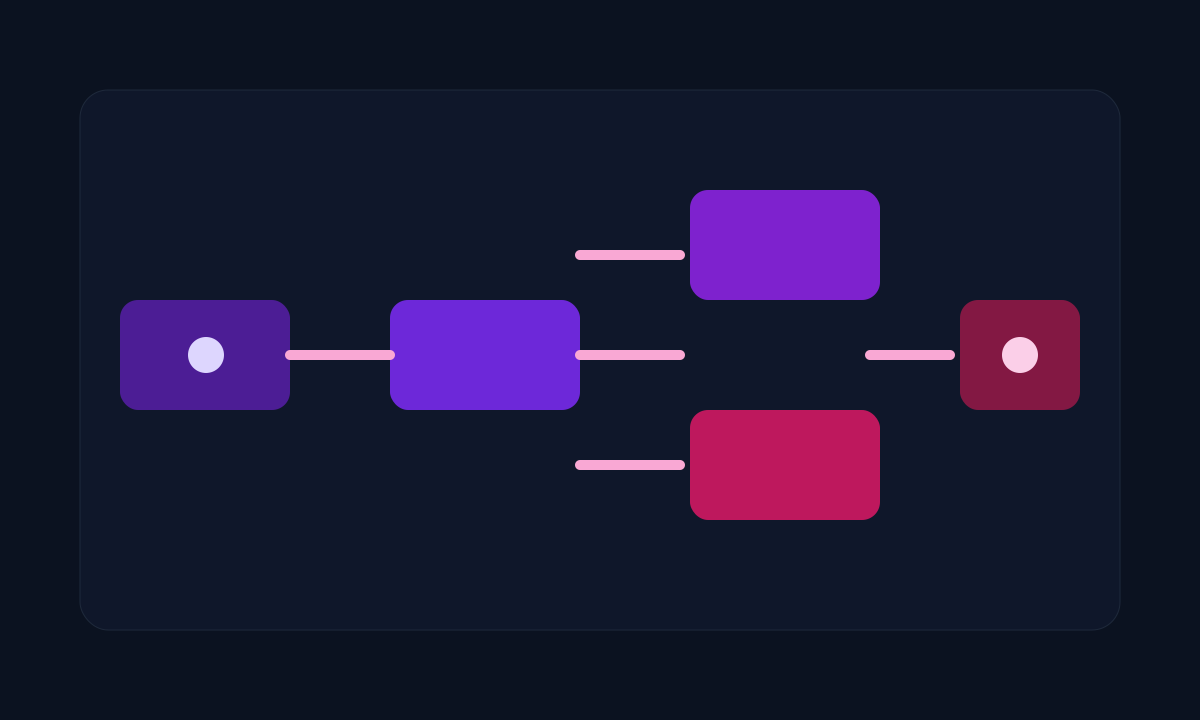
Arsitektur minimal yang sehat:
- user lulus primary auth dengan username/password atau SSO
- backend membuat challenge untuk enrollment atau authentication
- browser memanggil API WebAuthn dan berbicara dengan authenticator
- backend memverifikasi response dan menyimpan atau memakai public key credential
- session level-up hanya diterbitkan setelah faktor kedua valid
Di production, arsitektur ini biasanya duduk di belakang session store dan audit log. Credential tidak cukup hanya disimpan sebagai public key; metadata seperti transports, counter, label perangkat, dan waktu terakhir dipakai sangat membantu operasi.
Practical Implementation
Step 1: Install dependency
npm install express express-session @simplewebauthn/server @simplewebauthn/browser
Library bisa diganti, tetapi contoh berikut memakai simplewebauthn karena API-nya cukup jelas untuk production baseline.
Step 2: Siapkan konfigurasi WebAuthn
Buat modul konfigurasi:
// src/config/webauthn.js
export const webauthnConfig = {
  rpName: "Example App",
  rpID: "app.example.com",
  origin: "https://app.example.com"
};
Jangan hardcode nilai localhost untuk environment production.
Step 3: Simpan challenge enrollment
// src/routes/webauthn-register-options.js
import { generateRegistrationOptions } from "@simplewebauthn/server";
import { webauthnConfig } from "../config/webauthn.js";

app.post("/api/webauthn/register/options", async (req, res) => {
  const user = req.session.user;

  const options = await generateRegistrationOptions({
    rpName: webauthnConfig.rpName,
    rpID: webauthnConfig.rpID,
    userName: user.email,
    userID: user.id,
    timeout: 60000,
    attestationType: "none",
    excludeCredentials: user.credentials.map((cred) => ({
      id: cred.credentialID,
      type: "public-key"
    })),
    authenticatorSelection: {
      residentKey: "preferred",
      userVerification: "preferred"
    }
  });

  req.session.currentChallenge = options.challenge;
  res.json(options);
});
Challenge harus disimpan per session atau per flow dan dibuang setelah dipakai.
Step 4: Verifikasi enrollment response
// src/routes/webauthn-register-verify.js
import { verifyRegistrationResponse } from "@simplewebauthn/server";
import { webauthnConfig } from "../config/webauthn.js";

app.post("/api/webauthn/register/verify", async (req, res) => {
  const verification = await verifyRegistrationResponse({
    response: req.body,
    expectedChallenge: req.session.currentChallenge,
    expectedOrigin: webauthnConfig.origin,
    expectedRPID: webauthnConfig.rpID
  });

  if (!verification.verified || !verification.registrationInfo) {
    return res.status(400).json({ ok: false });
  }

  const { credential, credentialDeviceType, credentialBackedUp } =
    verification.registrationInfo;

  await db.credentials.insert({
    userId: req.session.user.id,
    credentialID: credential.id,
    publicKey: credential.publicKey,
    counter: credential.counter,
    deviceType: credentialDeviceType,
    backedUp: credentialBackedUp,
    label: req.body.label ?? "Unnamed device"
  });

  req.session.currentChallenge = null;
  res.json({ ok: true });
});
Step 5: Buat authentication options
// src/routes/webauthn-auth-options.js
import { generateAuthenticationOptions } from "@simplewebauthn/server";
import { webauthnConfig } from "../config/webauthn.js";

app.post("/api/webauthn/auth/options", async (req, res) => {
  const user = await db.users.findByEmail(req.body.email);
  const credentials = await db.credentials.findByUserId(user.id);

  const options = await generateAuthenticationOptions({
    rpID: webauthnConfig.rpID,
    timeout: 60000,
    userVerification: "preferred",
    allowCredentials: credentials.map((cred) => ({
      id: cred.credentialID,
      type: "public-key"
    }))
  });

  req.session.pending2faUserId = user.id;
  req.session.currentChallenge = options.challenge;
  res.json(options);
});
Step 6: Verifikasi authentication response
// src/routes/webauthn-auth-verify.js
import { verifyAuthenticationResponse } from "@simplewebauthn/server";
import { webauthnConfig } from "../config/webauthn.js";

app.post("/api/webauthn/auth/verify", async (req, res) => {
  const userId = req.session.pending2faUserId;
  const credential = await db.credentials.findByCredentialId(req.body.id);

  const verification = await verifyAuthenticationResponse({
    response: req.body,
    expectedChallenge: req.session.currentChallenge,
    expectedOrigin: webauthnConfig.origin,
    expectedRPID: webauthnConfig.rpID,
    credential: {
      id: credential.credentialID,
      publicKey: credential.publicKey,
      counter: credential.counter
    }
  });

  if (!verification.verified) {
    return res.status(401).json({ ok: false });
  }

  await db.credentials.updateCounter(credential.credentialID, verification.authenticationInfo.newCounter);
  req.session.userId = userId;
  req.session.pending2faUserId = null;
  req.session.currentChallenge = null;

  res.json({ ok: true });
});
Step 7: Tambahkan client-side enrollment
import { startRegistration } from "@simplewebauthn/browser";

const options = await fetch("/api/webauthn/register/options", {
  method: "POST"
}).then((res) => res.json());

const attResp = await startRegistration({ optionsJSON: options });

await fetch("/api/webauthn/register/verify", {
  method: "POST",
  headers: { "Content-Type": "application/json" },
  body: JSON.stringify(attResp)
});
Step 8: Tambahkan client-side authentication
import { startAuthentication } from "@simplewebauthn/browser";

const options = await fetch("/api/webauthn/auth/options", {
  method: "POST",
  headers: { "Content-Type": "application/json" },
  body: JSON.stringify({ email })
}).then((res) => res.json());

const authResp = await startAuthentication({ optionsJSON: options });

await fetch("/api/webauthn/auth/verify", {
  method: "POST",
  headers: { "Content-Type": "application/json" },
  body: JSON.stringify(authResp)
});
Step 9: Wajibkan credential cadangan
Pada UI profil, tambahkan guardrail operasional:
- tampilkan daftar authenticator terdaftar
- minta user menambahkan minimal dua device
- beri tombol revoke untuk device lama
Verification
Lakukan verifikasi berikut:
- login biasa berhasil dan user diminta 2FA
- enrollment credential baru sukses
- authentication dengan credential yang terdaftar sukses
- credential yang dicabut tidak lagi bisa dipakai
- origin yang salah gagal diverifikasi
Contoh pemeriksaan log server:
journalctl -u app.service -n 100 | grep webauthn
Jika implementasi sehat:
- register endpoint menghasilkan challenge baru per flow
- verify endpoint menolak challenge lama atau origin salah
- counter credential diperbarui
- audit event enrollment dan revoke tercatat
Studi Kasus / Masalah Nyata
User kehilangan laptop dan security key
Jika hanya satu credential yang didaftarkan, akun praktis terkunci. Karena itu enrollment cadangan bukan fitur tambahan, tetapi guardrail operasional.
Staging berhasil, production gagal
Biasanya penyebabnya adalah expectedOrigin atau rpID masih mengarah ke host yang salah.
Troubleshooting
RP ID mismatch
Gejala: browser menolak flow atau server gagal verifikasi.
Periksa konfigurasi:
echo $WEBAUTHN_RP_ID
echo $WEBAUTHN_ORIGIN
Nilai harus konsisten dengan domain aplikasi production.
Origin mismatch di reverse proxy
Jika aplikasi berada di belakang Nginx atau load balancer, pastikan header origin dan HTTPS termination dikonfigurasi benar.
Contoh Nginx:
proxy_set_header Host $host;
proxy_set_header X-Forwarded-Proto https;
Credential tidak ditemukan
Biasanya terjadi karena credential ID tidak tersimpan dalam format yang konsisten. Pastikan encoding base64url tidak berubah saat disimpan ke database.
Production Notes
- Selalu jalankan di HTTPS, kecuali localhost untuk development.
- Catat event enrollment, authentication failure, revoke, dan recovery ke audit log.
- Jangan jadikan email-only recovery sebagai bypass faktor kedua.
- Pisahkan flow admin recovery dari flow user self-service.
- Untuk akun sensitif, pertimbangkan mewajibkan hardware key, bukan hanya synced passkey.
Trade-offs
- WebAuthn mengurangi risiko phishing, tetapi onboarding lebih kompleks daripada TOTP.
- Recovery yang ketat lebih aman, tetapi meningkatkan friction support.
- Mendukung banyak authenticator memperbaiki availability akun, tetapi menambah kompleksitas UI dan data model.
Failure Modes
rpIDatauoriginsalah sehingga semua flow gagal di environment tertentu.- User hanya mendaftarkan satu device lalu terkunci saat perangkat hilang.
- Recovery flow terlalu longgar dan menjadi bypass terhadap faktor kedua.
Best Practices
- Paksa atau minimal sangat dorong pendaftaran credential cadangan.
- Simpan metadata credential seperti label perangkat dan waktu terakhir dipakai.
- Bersihkan challenge setelah diverifikasi atau timeout.
- Lindungi session login utama sebelum flow WebAuthn dimulai.
Kesalahan Umum
- menganggap WebAuthn hanya problem frontend
- tidak merancang recovery flow
- menyimpan credential tanpa metadata operasional
- salah mengonfigurasi RP ID dan origin
Kesimpulan
WebAuthn memberi fondasi 2FA yang jauh lebih kuat dibanding OTP tradisional, tetapi hasilnya sangat bergantung pada kualitas integrasi backend dan lifecycle credential. Jika enrollment, verification, dan recovery ditangani dengan disiplin, WebAuthn bisa menjadi kontrol identitas yang benar-benar layak dipakai di production.
Kalau artikel ini membantu, kamu bisa support eksperimen berikutnya.
Apresiasi di TrakteerKeep Reading
Related posts
Konfigurasi Firewall Otomatis untuk Menahan Brute Force di Server Linux
Panduan teknis untuk menggabungkan firewall, rate limiting, dan log-driven automation agar serangan brute force ke server Linux tidak langsung berubah menjadi gangguan operasional.
Ephemeral GitHub Actions Runners di Kubernetes dengan Actions Runner Controller
Panduan operasional untuk menjalankan GitHub Actions runner yang ephemeral di Kubernetes dengan isolasi lebih baik, autoscaling, dan kontrol secret yang lebih rapi.
Hardening vLLM Inference Service di Kubernetes dengan Istio dan OPA
Panduan production-ready untuk menjalankan vLLM di Kubernetes dengan kontrol jaringan, policy admission, mTLS, dan guardrail operasional yang lebih aman.